RTC Bhoomi Online Mutation Status – Guide to Check & Track
Hey, you know that land transfer you applied for? Now you can easily track the RTC Bhoomi Online mutation status step by step—no paperwork, no long queues. With Bhoomi Online, checking mutation history is that simple.
What Is Bhoomi and Why Mutation Status Matters
Launched in 2000, Bhoomi is Karnataka’s digital land records system, created to fix decades of manual messiness in land documentation. It evolved into a complete digital platform managed by the state’s Revenue Department. Think of it like an online land registry, where everything from land ownership to crop history gets digitized and logged for transparency and ease.
Why Mutation Status and History Matter
The portal clearly shows whether your mutation is “pending,” “approved,” or “flagged” with a remark
Spotting irregularities early means you can address them before they become disputes.
You can access the information from anywhere without visiting a government office.
How to Check Mutation Status: Step-by-Step
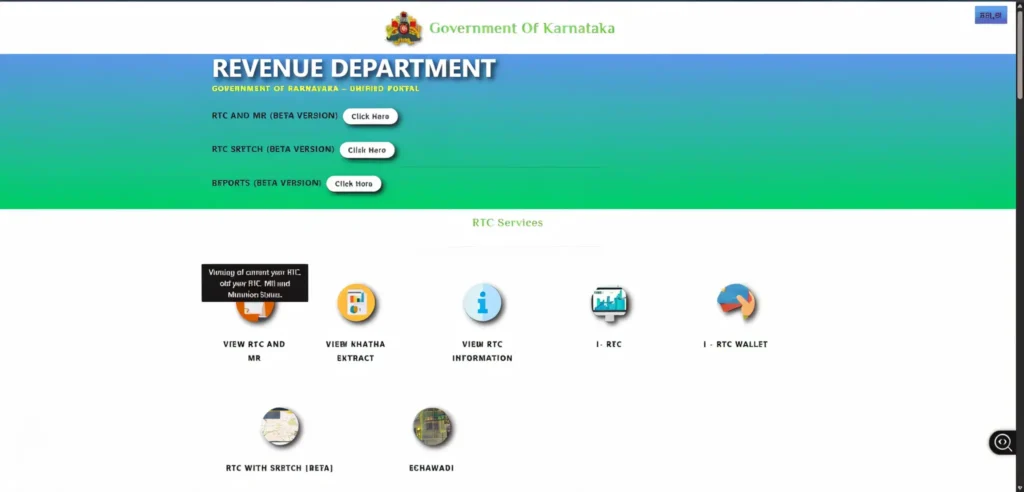
Visit the official Karnataka Bhoomi portal.
Go to RTC Services and click “View RTC & MR”.
Select Mutation Status.
Fill in your details: District, Taluk, Hobli, Village, Survey Number, Surnoc, and Hissa Number.
Click Fetch Details to view the current status and any remarks.
How to View Mutation History (Village-Wise)
Mutation history gives you the complete record, not just the
latest update:
On the portal, go to Report Services and select Bhoomi RTC Mutation History.
Enter your location and survey details.
Click Get Report to view a timeline of past mutation events for the selected land parcel.
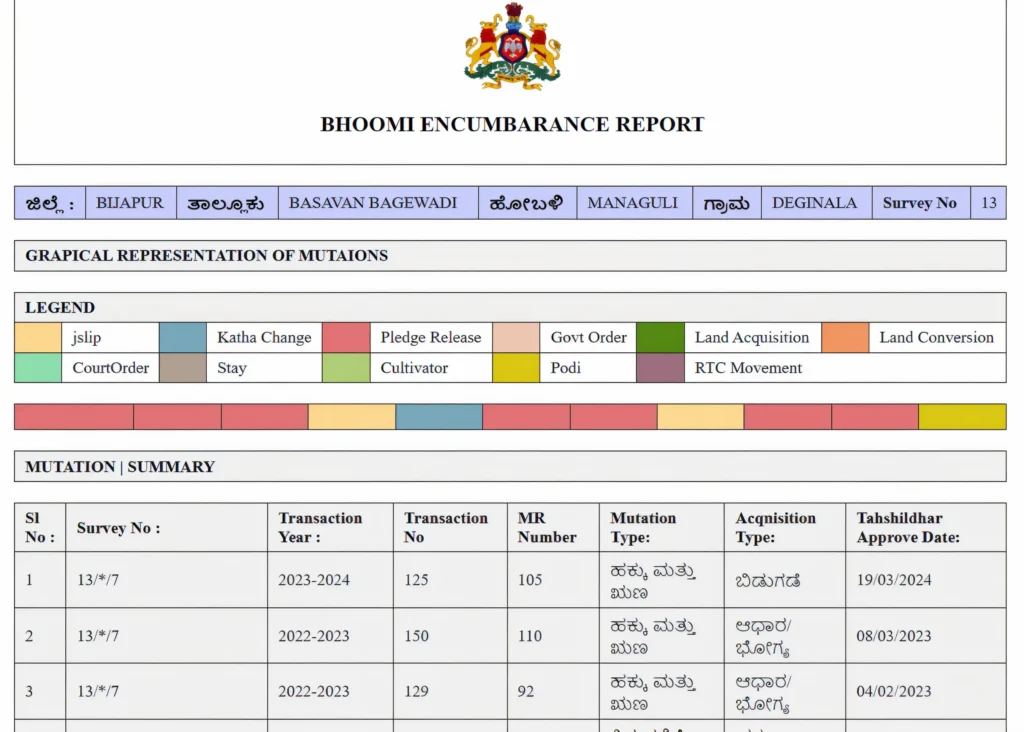
What Does Mutation Status Mean?
The status tells you where your application stands:
How Mutation History Helps You Spot Land Trends
By reviewing the mutation history, you can:
Difference Between Mutation and Registration
Registration
records the legal sale deed of the property.
Mutation
updates the land record to reflect the new ownership after registration.
Why Mutation May Get Delayed Online
Delays can occur due to:
Documents Required for Mutation Processing
Typically, you’ll need:
When to Visit the Revenue Office
You should visit in person if:
Your mutation isn’t updated after several weeks.
The portal shows an error for your details.
There is a dispute or legal objection.
Role of Bhoomi in Improving Transparency
The system removes middlemen, reduces delays, and allows citizens to view land details directly. This makes the property transfer process more trustworthy.
Future Enhancements: What to Expect Next
Upcoming improvements may include:
- GIS-based maps linked to records.
- Mobile app access.
- Faster real-time updates from local offices.
Important Links
| Linked With | Reason |
|---|---|
| How to Check Mutation Status on Karnataka Bhoomi Online | https://bhoomi-rtconline.com/mutation-status/ |
| Karnataka Mutation Pendency: Village-Wise Report | https://bhoomi-rtconline.com/mutation-pendency/ |
| Khata Extract Bhoomi Online – Complete Guide Karnataka | https://bhoomi-rtconline.com/khata-extract/ |
Frequently Asked Questions
Quick Tips for Using the Portal Effectively
Final Analysis
The RTC Bhoomi Online portal makes checking mutation status and reviewing history straightforward and transparent. Whether you’re a landowner, buyer, or legal professional, having access to this data ensures smooth property dealings and prevents disputes.
With just a few clicks, you can track changes, confirm ownership, and keep your land records accurate—without the hassle of long queues or endless paperwork.


